Best IPTV according to Reddit: what people actually recommend in 2026
Reddit is the first place most people look before paying for IPTV — and it is also where a good share of…
Read the guideEvery smart TV can play IPTV. What differs is how you get the app onto it, and that single detail decides whether this takes ten minutes or a wasted evening. Here is the method for each of the four platforms actually sold today, plus the settings people skip and then blame their provider for.
A smart television is a small computer with a very conservative app store. That is the whole story of IPTV on a smart TV: the hardware is easily good enough, but each manufacturer decides what you are allowed to install, and they do not all decide the same way.
So before anything else, work out which of the four platforms you own. Everything after that follows from it.
| Platform | How you know | IPTV install route |
|---|---|---|
| Samsung Tizen | Home bar along the bottom, Samsung logo on boot | Samsung Apps store + device-key activation |
| LG webOS | Coloured launcher ribbon, Magic Remote pointer | LG Content Store + device-key activation |
| Android TV / Google TV | Google Play icon, Assistant button on the remote | Play Store, or sideload |
| Roku TV (TCL, Hisense, some Philips) | Purple interface, grid of channel tiles | Restricted — use a stick instead |
If you are not sure, open the settings menu and look for About this TV or System information. The operating system name is there, along with the model year — which matters more than most people expect, and we come back to it at the end.
Samsung does not allow sideloading on a retail set, so an IPTV app has to come from the Samsung store. Several IPTV players sit there quite openly; they are generic players, and your provider supplies the line that fills them.
A Tizen or webOS player charging a few dollars to unlock one television is normal and unrelated to what you pay a provider. What is not normal is a provider charging you separately for “app activation” on top of your plan. Ours does not, and neither should any other.
One Samsung-specific trap: the device key is tied to the television. Replace the set, or reset it to factory defaults, and you register again. Keep the activation email.
webOS works almost identically, with a different store and a slightly friendlier remote.
On webOS sets from 2018 onward the app list refreshes reliably. On 2016 and 2017 models, expect to reload the playlist manually after a firmware update; that is an annoyance rather than a fault.
This is the easiest platform by a distance, and if you are shopping for a television specifically to run IPTV on, it is the one to buy. Sony, Philips, TCL and Hisense all ship Android-based sets.
Which player to pick is a real decision rather than a coin flip, and we compared them properly in TiviMate vs IPTV Smarters Pro. The short version: TiviMate behaves like a television, Smarters behaves like a streaming app.
If a specific app is missing from your region’s Play Store, Android TV does allow sideloading through the Downloader app — the same process we describe step by step in the Firestick setup guide, which applies unchanged to any Android television.
Roku is the one mainstream platform that makes this genuinely difficult. It has no general-purpose IPTV player in its channel store and no sideloading for ordinary users. Screen mirroring from a phone works, but the picture is soft and the audio drifts on long sessions, so treat it as a demo rather than a setup.
The honest answer on a Roku TV — and on any set older than roughly 2016 — is a streaming stick in a spare HDMI port. It costs less than two months of most subscriptions, gives you the full Android app catalogue, and moves to your next television when this one dies.
Most “it does not work” messages we receive from smart TV users are not faults. They are four characters:
Do the typing on a phone or a laptop wherever the app allows it — which, on Tizen and webOS, is the whole point of the web activation page. Where you must type on the television, use the on-screen keyboard’s caps toggle rather than guessing, and check the end of every field.
Two other details decide whether the result looks finished:
A television does far more processing to an incoming picture than a streaming stick does, and most of that processing was tuned for broadcast, not for a live stream.
This comparison is the single most useful diagnostic you can run, because it removes your provider from the question entirely. Same line, same moment, same room: if the phone is smooth and the television stutters, the stream is fine and the television’s connection is not.
There is a physical reason for it. Television Wi-Fi aerials are small, cheap and sit behind a large metal-backed panel, often inside a cabinet or flat against a wall. A phone held in your hand has a clear path to the router. The gap between the two is frequently 30 to 40 percent of the available signal.
In order of effectiveness:
If the stutter survives all three, it is no longer a network problem, and the ordered diagnostic in why your IPTV keeps buffering picks up from there.
On Tizen and webOS there is no legitimate reason to install an IPTV player from a file someone sent you. If a provider insists you must, ask why their service needs an app the manufacturer’s store will not carry — and read our note on judging a provider in the Reddit buying guide.
Manufacturers keep app stores alive for a set’s commercial life, not forever. Tizen sets before 2016 and webOS sets before 2017 increasingly cannot install anything new at all, and the ones that can may run a player version too old for current servers.
Three honest signals that you have reached that point:
None of these are worth fighting. A streaming stick restores every one of those televisions to full speed for the price of a few months of service, and you keep the picture panel you already paid for. If you are going that way, our installation page covers every device we support, and the channel list shows what lands on the screen afterwards.
Send us the make, the model year and a photo of the home screen — we will tell you exactly which player to install and set the line up with you on the message. Or take the free trial first and watch it on your own television before paying anything.
Yes, on Samsung Tizen, LG webOS and any Android or Google TV set. A box is only needed on Roku televisions and on older sets whose store no longer serves new apps.
Whichever one your provider actively supports. Tizen players are generic and largely interchangeable in features; what differs is who keeps them updated and whether your provider’s server has been tested against them. Ask before you pay an activation fee.
On Tizen and webOS, usually a small one-off unlock per television after a trial period. On Android TV the main players are free, with an optional premium tier. Neither has anything to do with your subscription price — ours are all on the pricing page.
Nearly always the TV’s wireless connection rather than the stream. Test the same channel on a phone in the same room; if the phone is smooth, go straight to Ethernet or an explicit 5 GHz connection.
You can install the app on as many devices as you like. What is capped is how many streams play simultaneously, which is set by your connection count, not by the device.
Not for the installation. Some people run one because their ISP throttles video traffic, and it helps in that specific case. Most smart TVs cannot run a VPN app natively, so it would go on the router instead.
It should not, but a major update can reset the playlist on older webOS and Tizen sets. Your activation key survives; re-adding the line takes a minute on the web page.
In short: identify the platform first, install only the player your provider supports, do the typing on a phone rather than the remote, turn motion smoothing off, and get the television onto a cable if you possibly can. That is the entire difference between a smart TV people say IPTV “does not work properly” on and one that simply behaves like television.
Reddit is the first place most people look before paying for IPTV — and it is also where a good share of…
Read the guide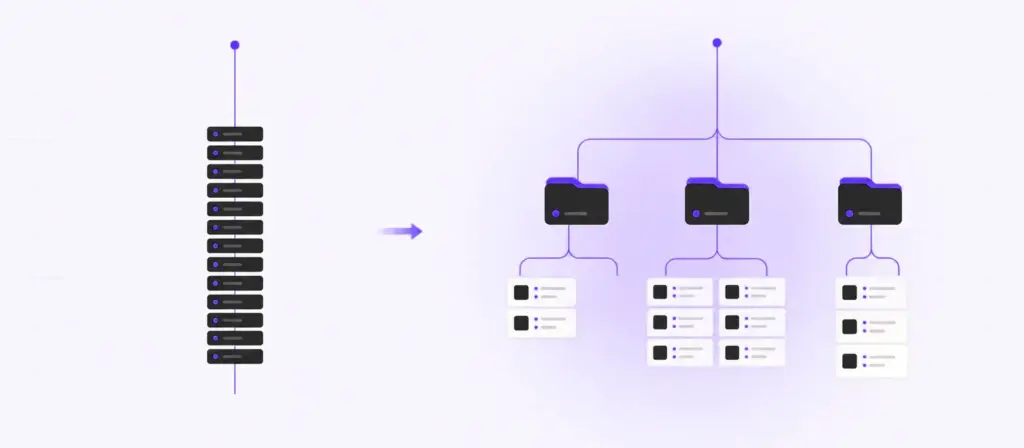
Both get you watching. Only one gives you categories, a working TV guide, and a browsable film library with posters. If nobody…
Read the guide
Buffering is a symptom, not a cause. Before you blame your provider or your internet, there is a diagnostic order that narrows…
Read the guide